How to get Instagram followers with Scriptera
Promise something useful under your post: a guide, a checklist, a selection, a template or a promo code. The user writes the code word in a comment — the bot replies in DMs and asks them to follow. After the follow, the bot delivers the gift. Every post brings followers without your involvement.
See how it looks
Tap on the phone — this is how your follower sees the conversation. Below is the step-by-step guide to set it up in the app.
How to set it up
All of this can be set up in 1–2 minutes: tap in the top right corner of the Bots screen and choose Quick setup → Followers. Fill in a short form — the bots will be assembled for you. What follows is a walkthrough of manual setup for those who want to understand in more depth how it all works.
Below is the full setup, using pastry chef Daria as an example: in her Reels “A cream that holds its shape for three days: my recipe” she gives the guide “10 fillings for bento cakes” for a follow.
1. Connect the account
- Open “Account”, then “Settings” and “Connections”.
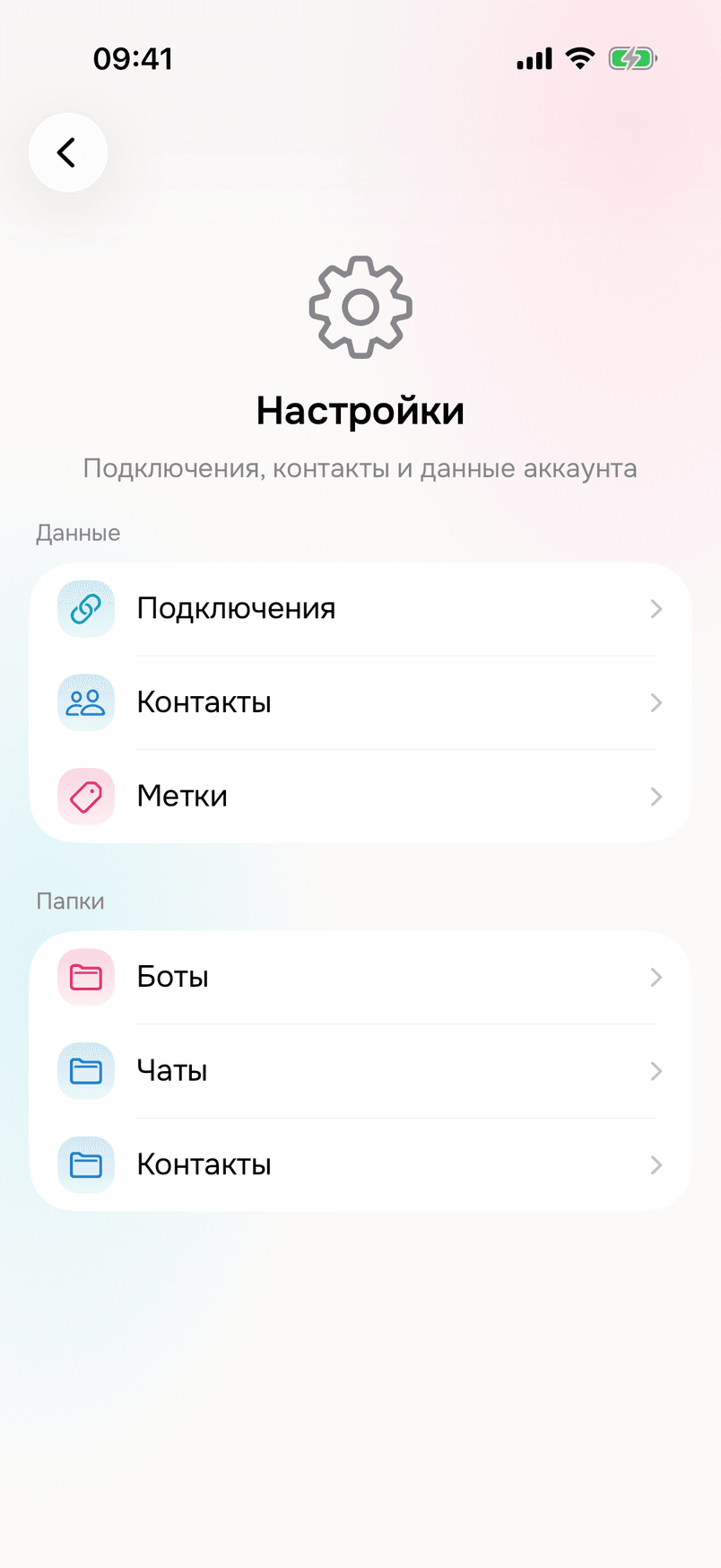
- Tap “+” in the top right and choose Instagram.
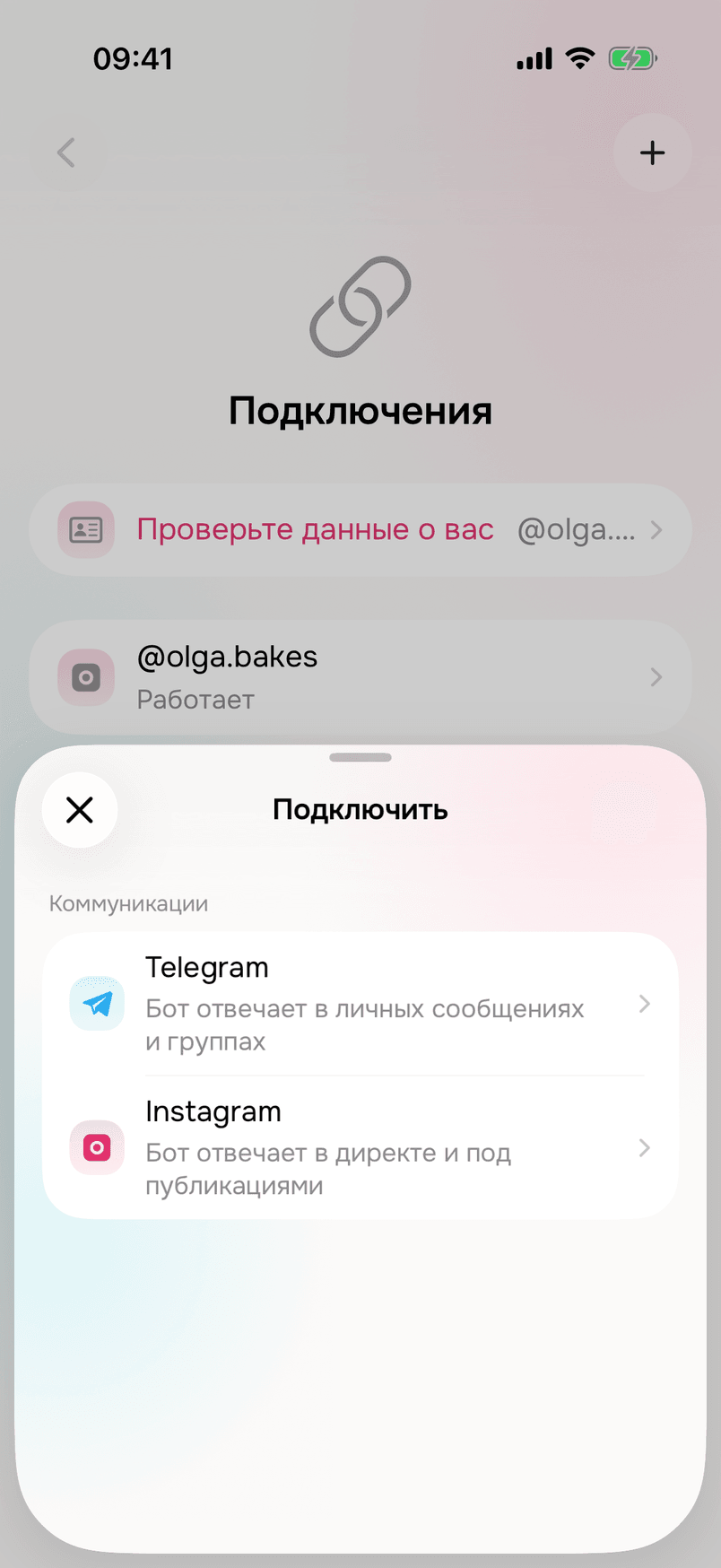
- Log in to your Instagram account and confirm access.
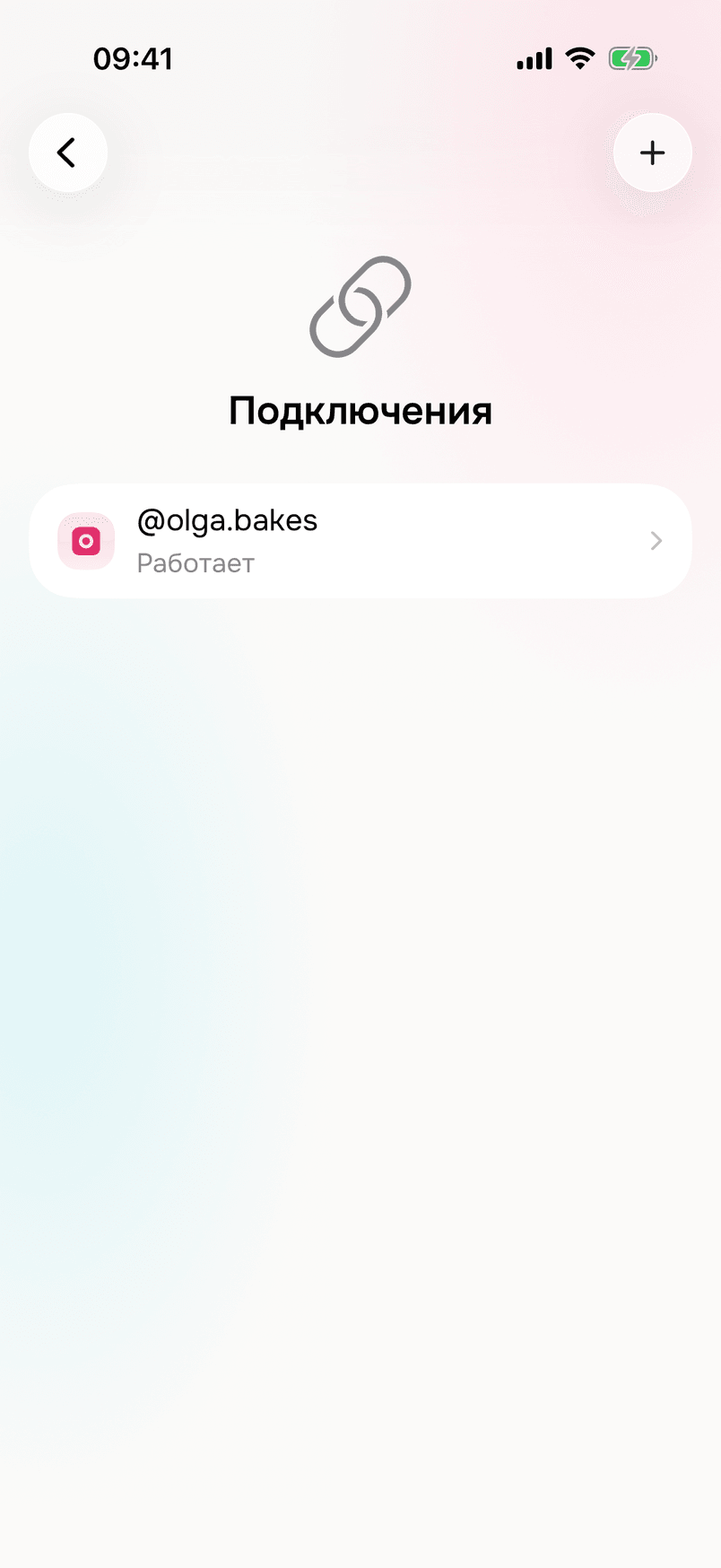
The connected account appears in the “Connections” list with the status “Working”.
2. Create the bot
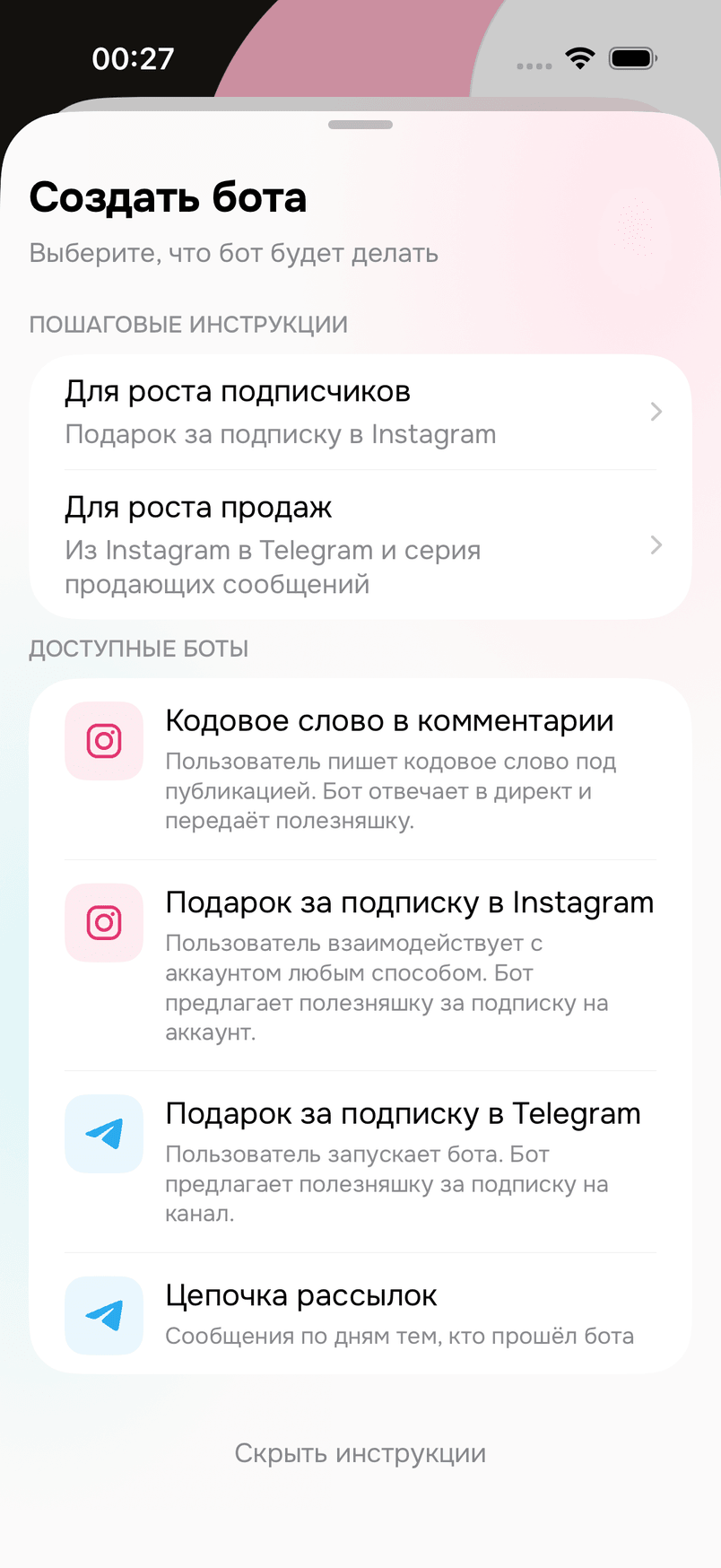
- Open “Bots” and tap “Create a bot”.
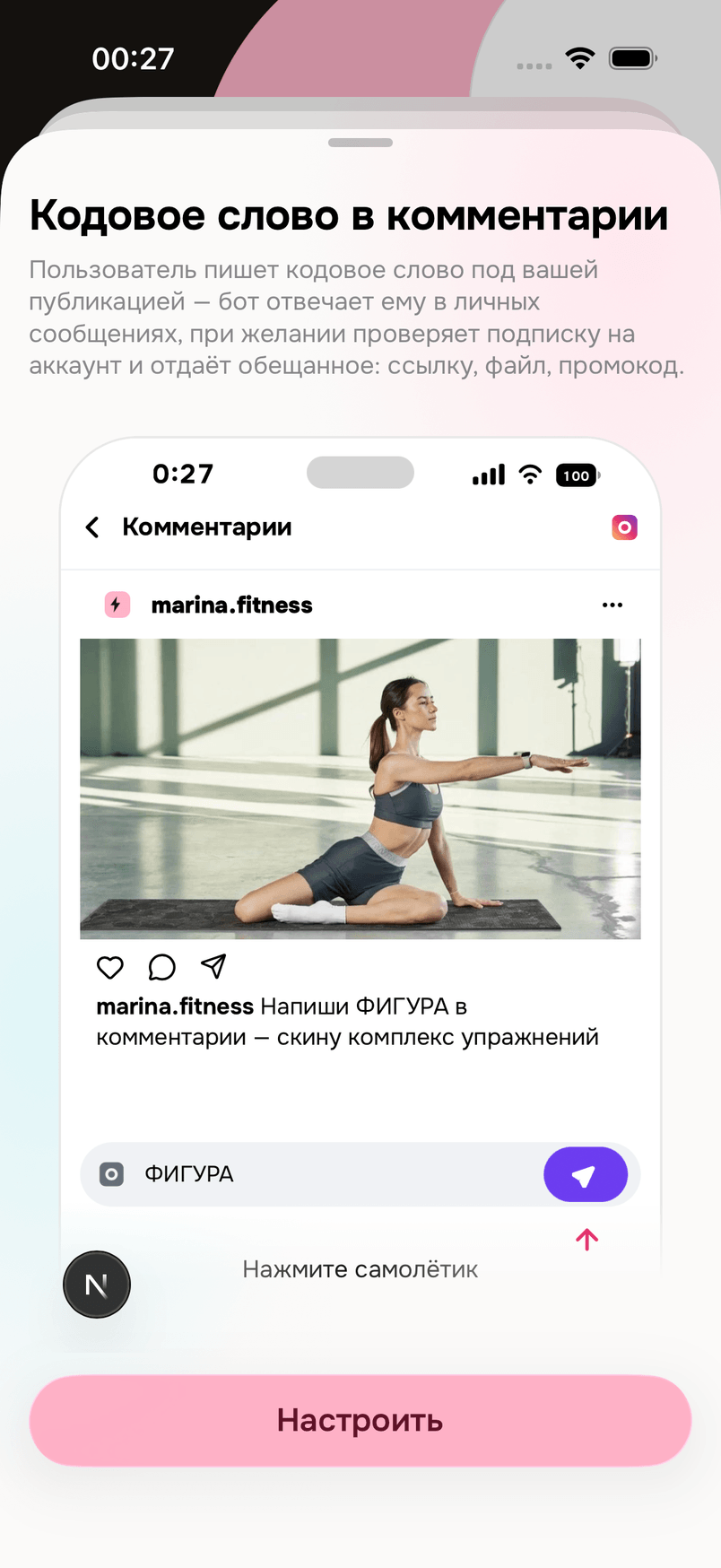
- In the “Available bots” list choose “Code word in a comment”.
- The first screen shows a sample chat on a phone. Tap “Set up”.
“About the bot” step
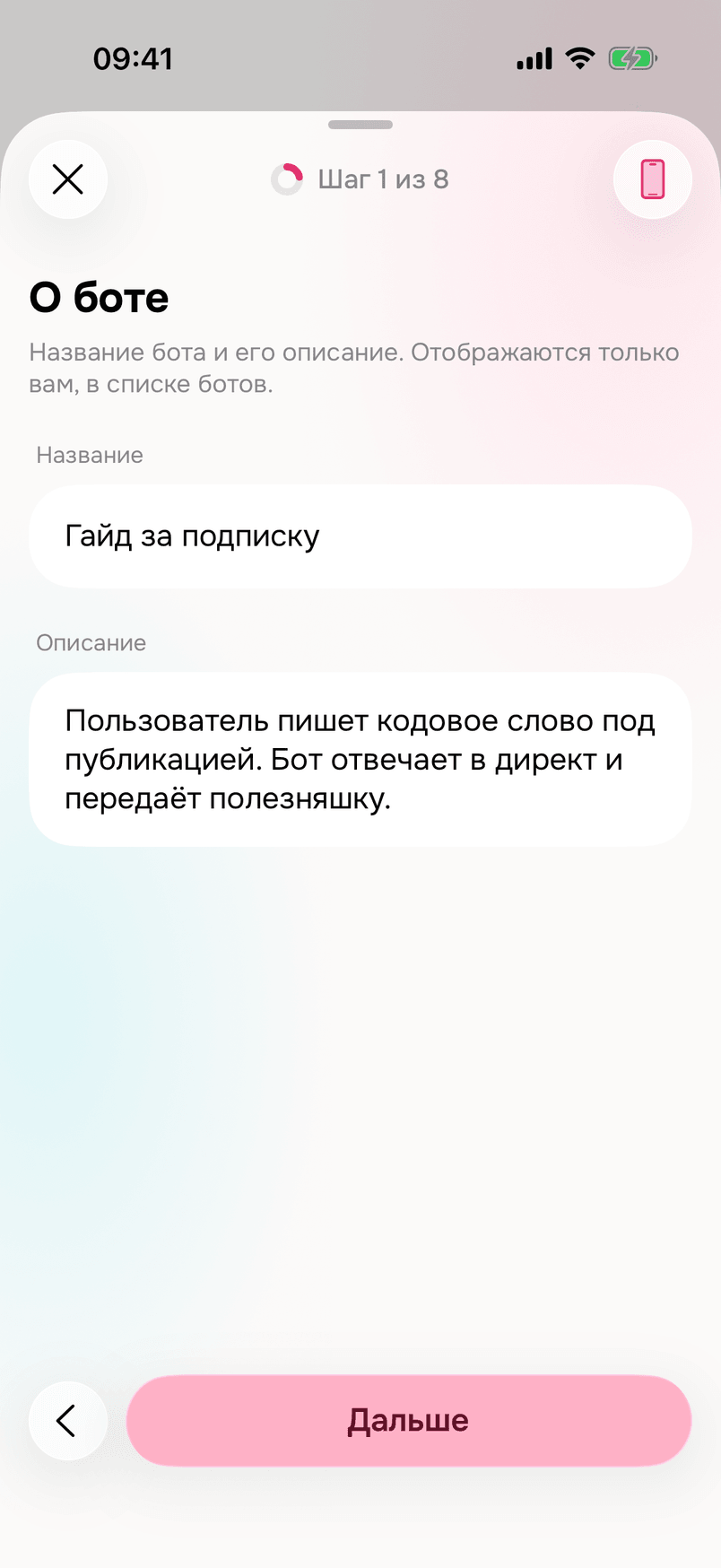
In the “Name” field write: Guide for a follow. Only you see the name — in the bot list.
“Account” step
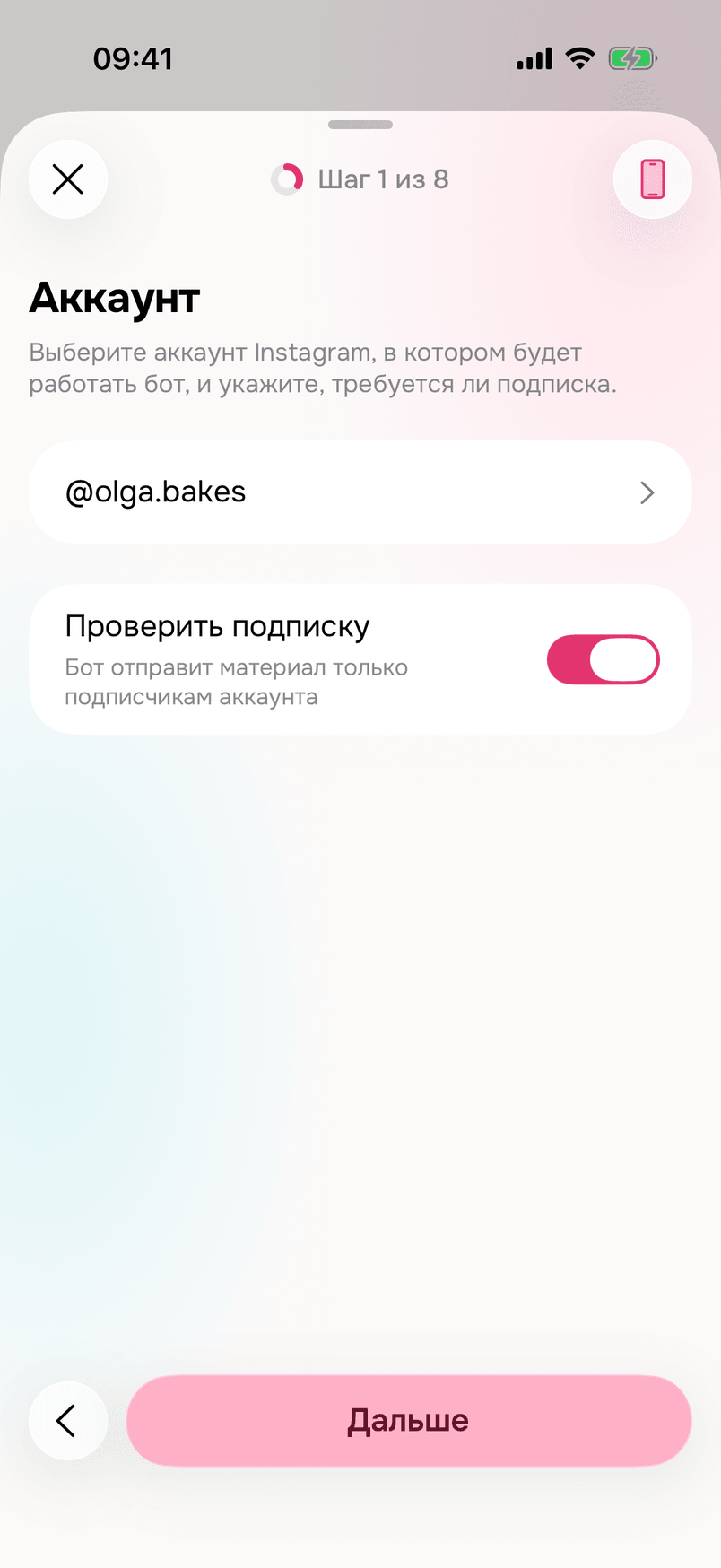
- In the “Instagram account” field choose the connected account: @olga.bakes.
- Turn on “Require subscription”.
“What starts it” step
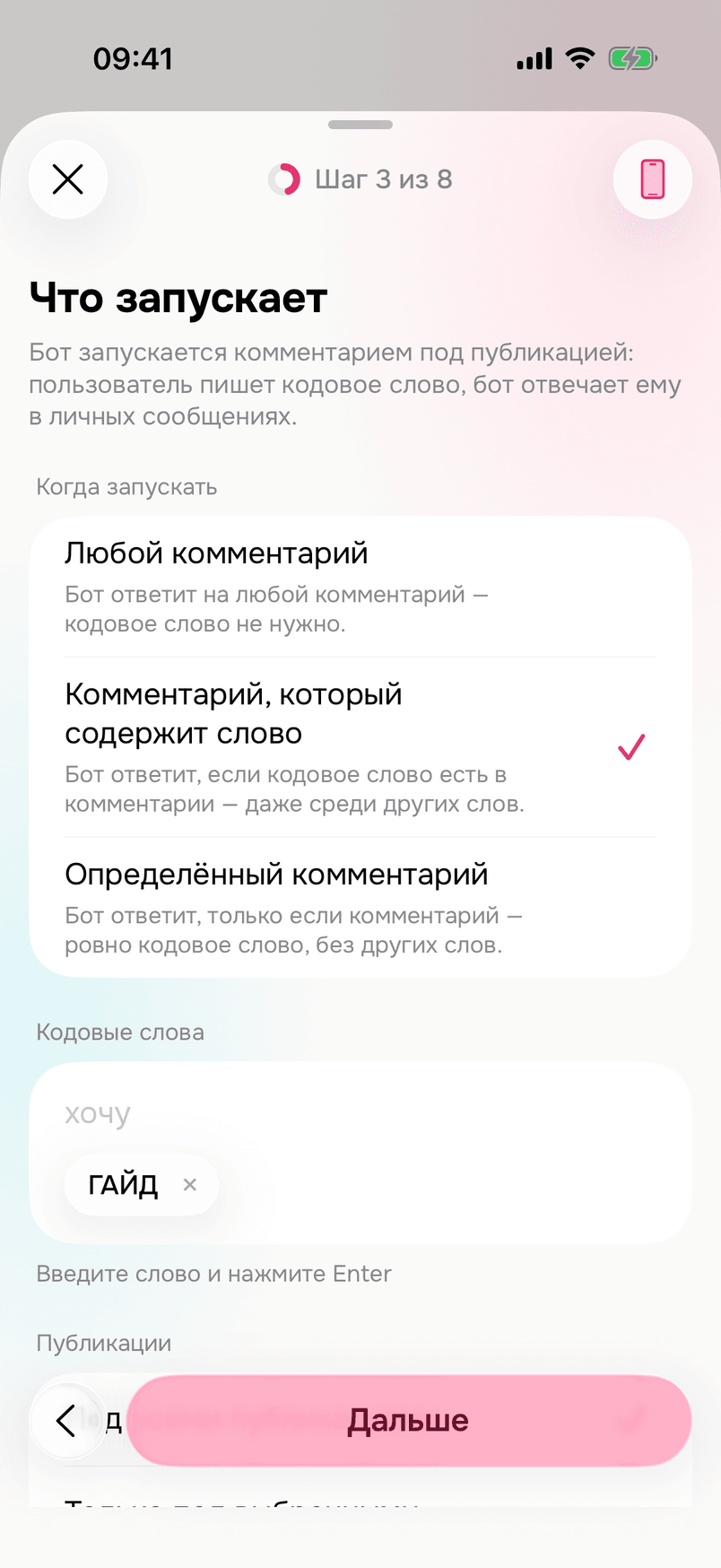
- In the “When to start” field leave “Comment that contains a word”.
- In the “Code words” field enter: GUIDE.
- In the “Posts” field leave “Under all posts”.
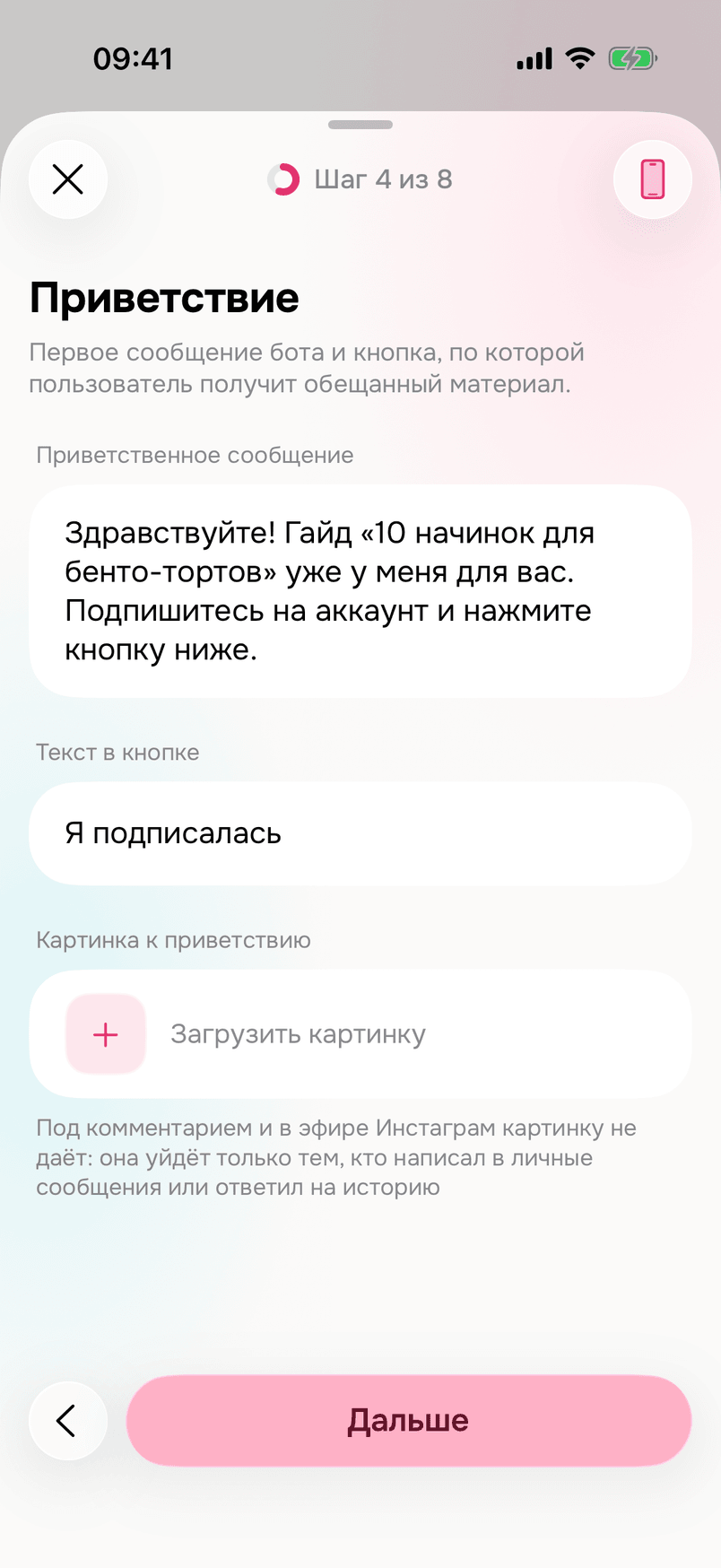
“Welcome” step
- In the “Welcome message” field write: “Hello! The guide “10 fillings for bento cakes” is waiting for you. Follow the account and tap the button below.”
- In the “Button text” field write: “I followed”.
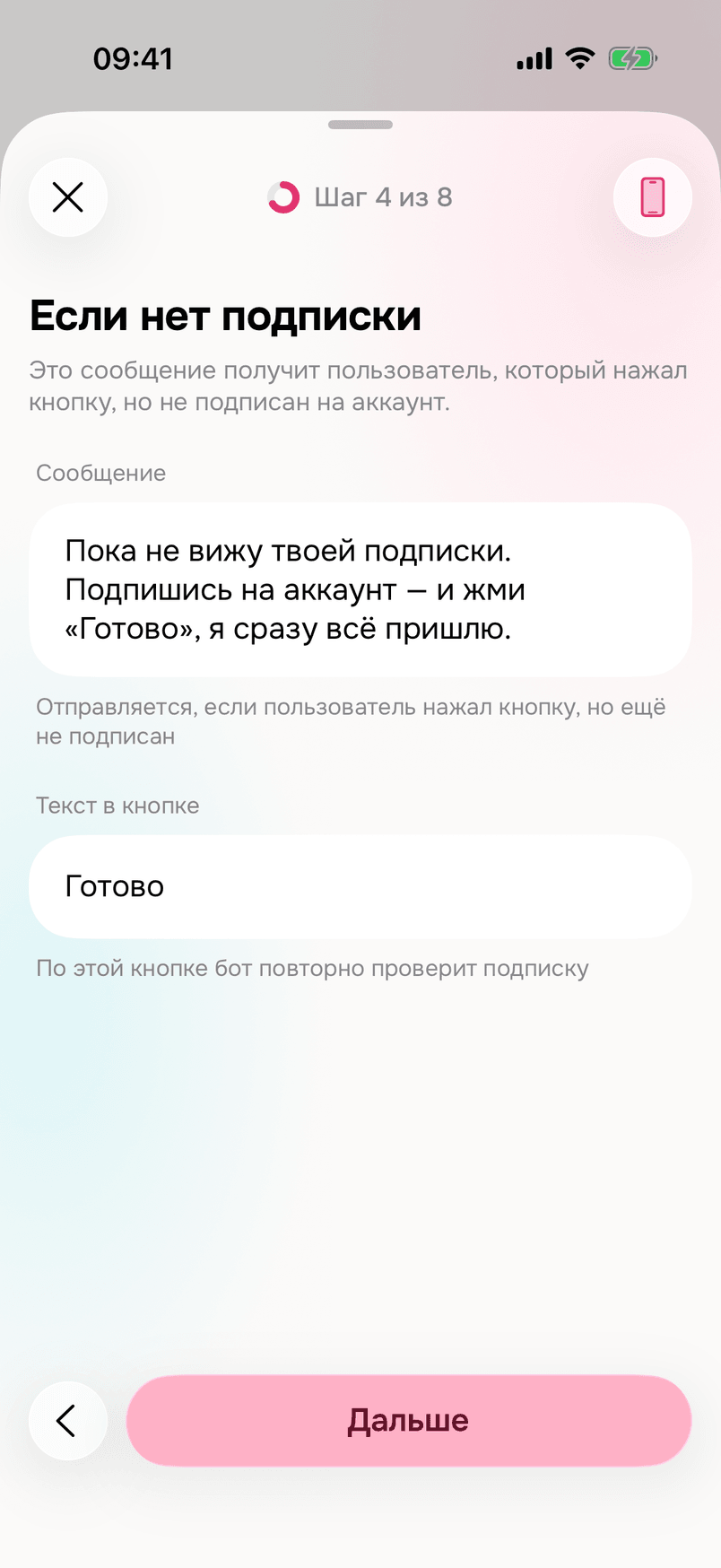
“If not subscribed” step
Leave the suggested text as is. The bot sends it to those who tapped the button without following.
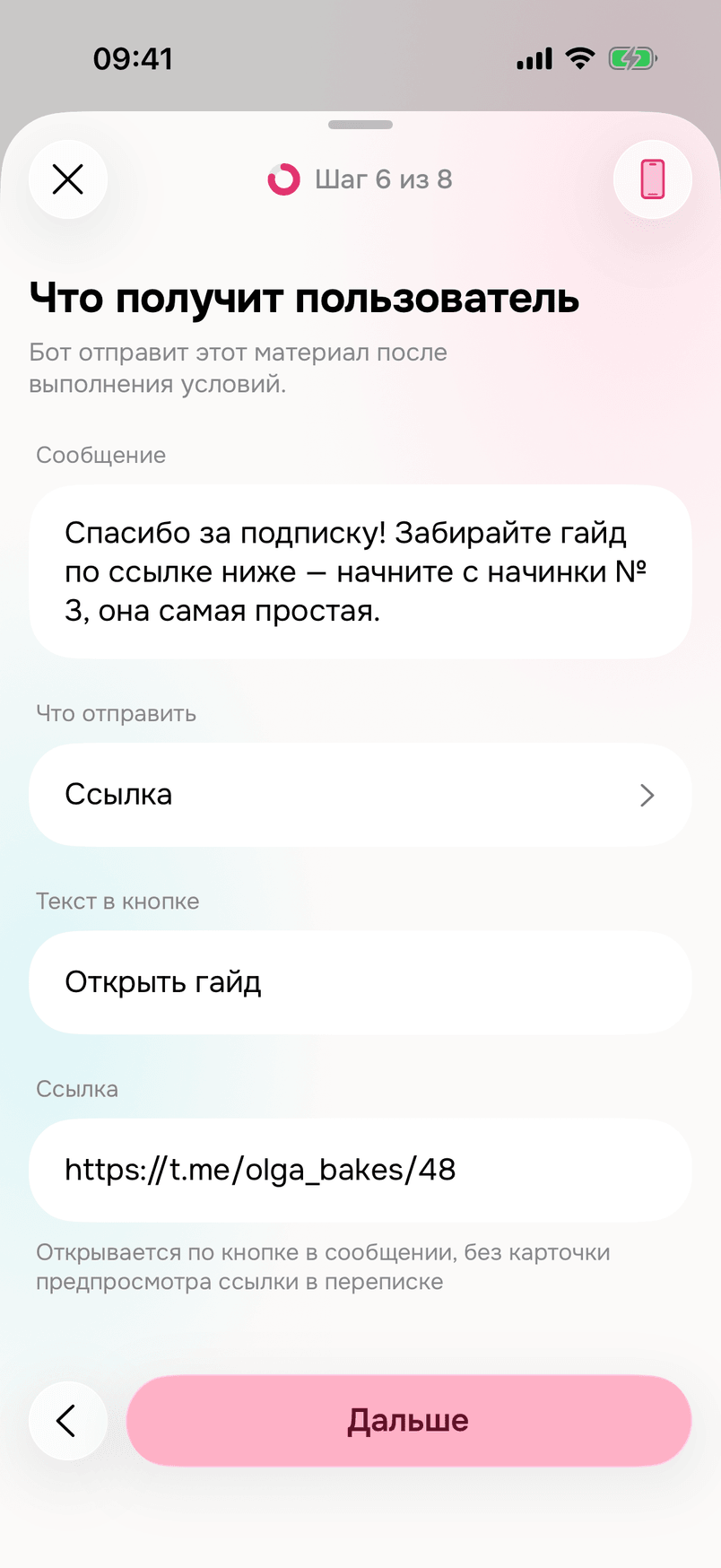
“What the user receives” step
- In the “Message” field write: “Thank you for following! Grab the guide at the link below — start with filling No. 3, it is the easiest.”
- In the “What to send” field leave “Link”.
- In the “Button text” field write: “Open the guide”.
- In the “Link” field paste the link to the guide: https://t.me/olga_bakes/48
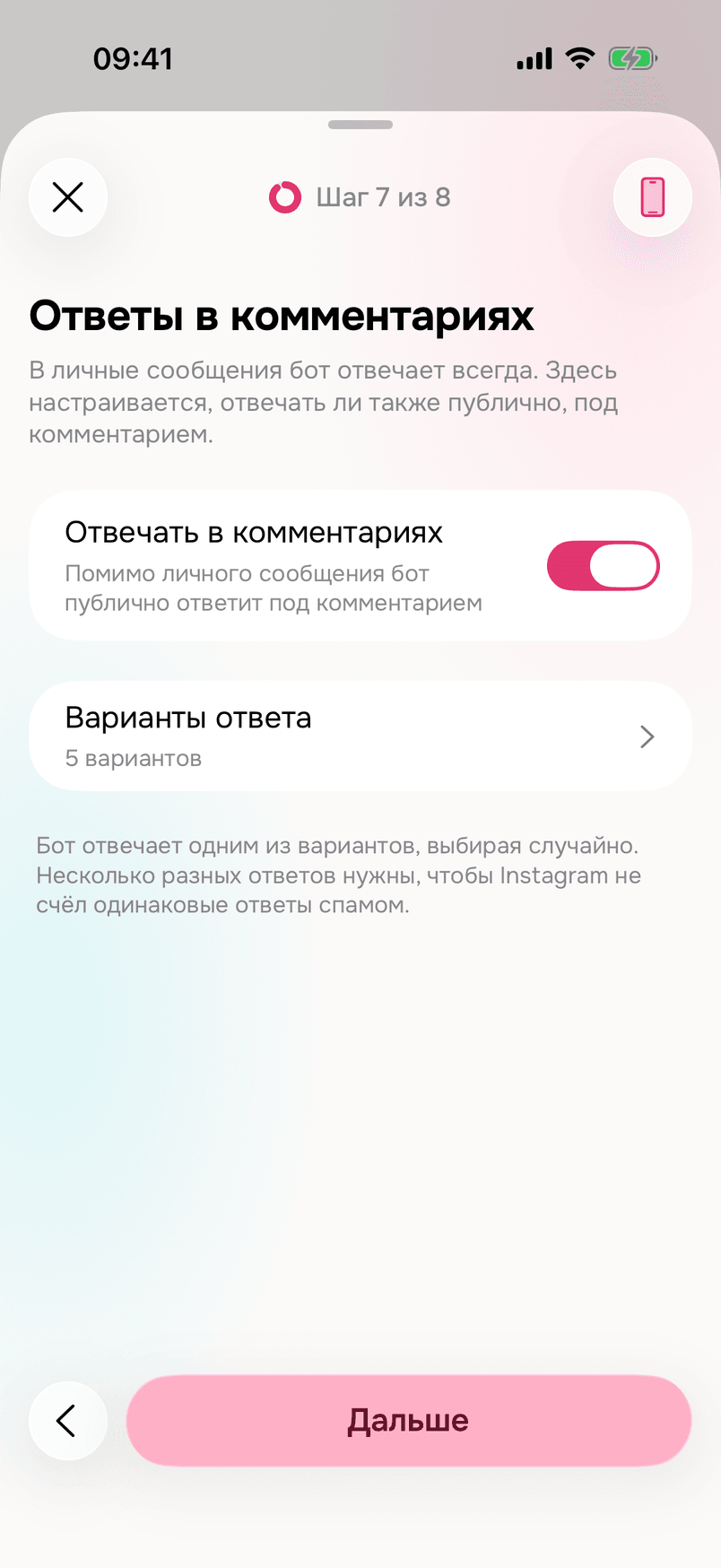
“Replies in comments” step
Change nothing: “Reply in comments” is on, “Reply variants” are the suggested ones. The bot replies publicly under the comment with one of the variants and sends the guide in direct messages.
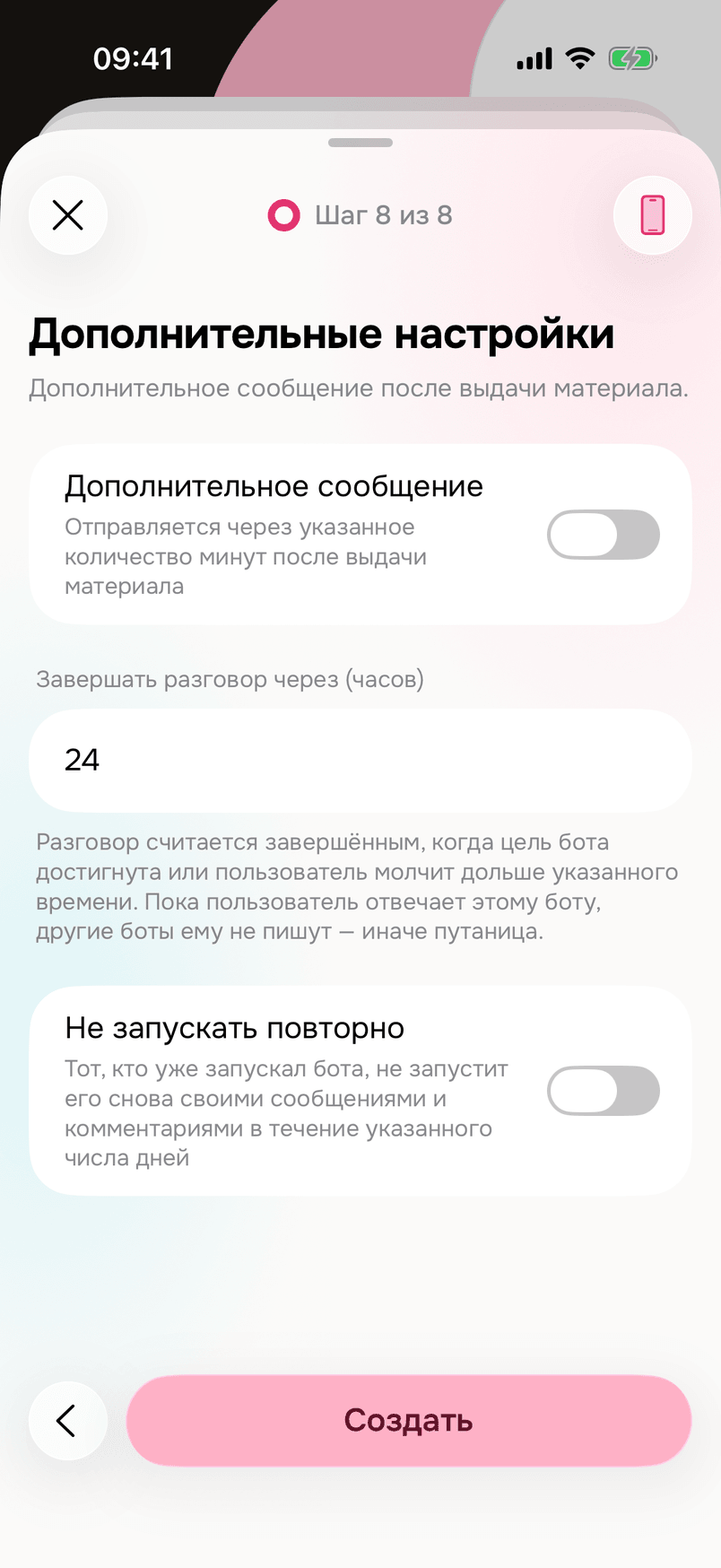
“Additional settings” step
Change nothing. Tap “Create”.
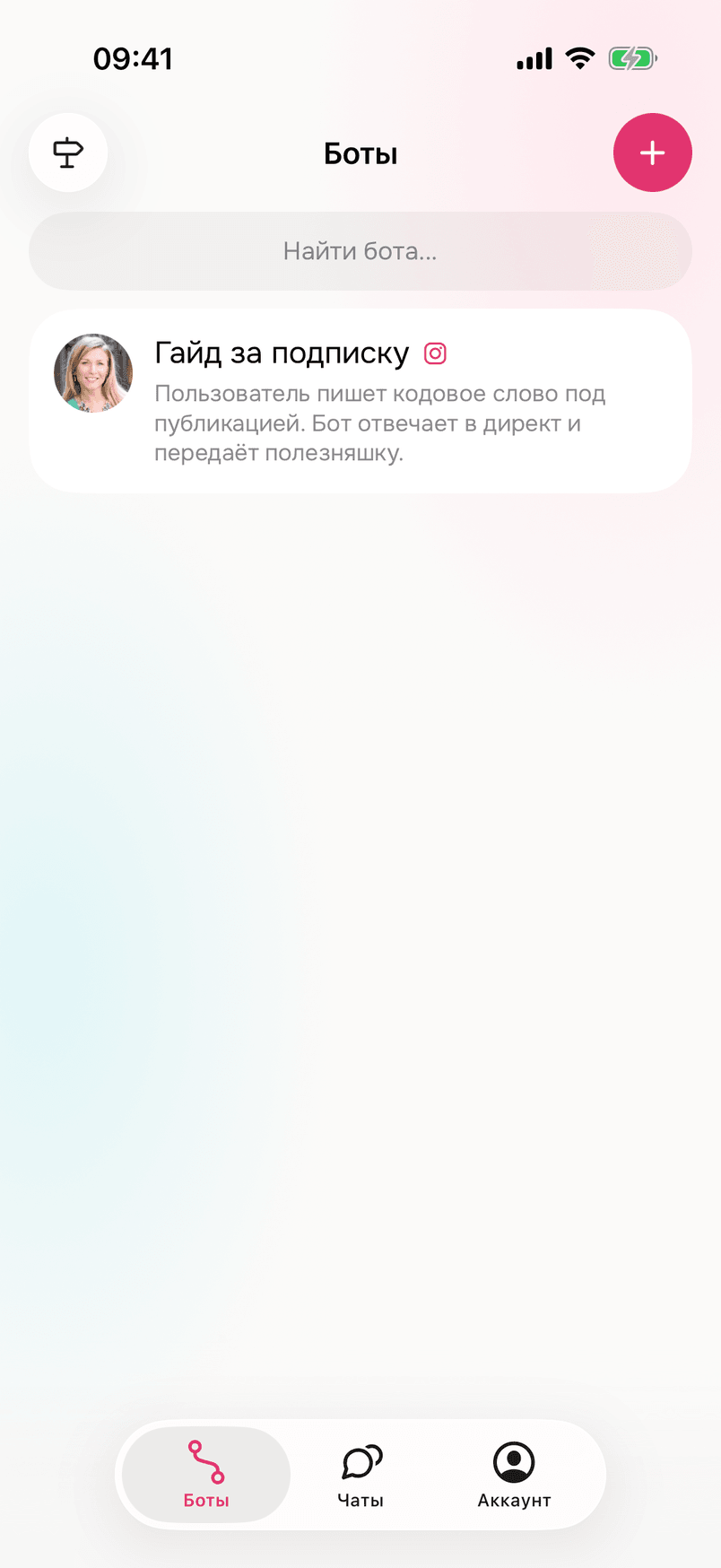
The “Guide for a follow” bot appears in “Bots”.
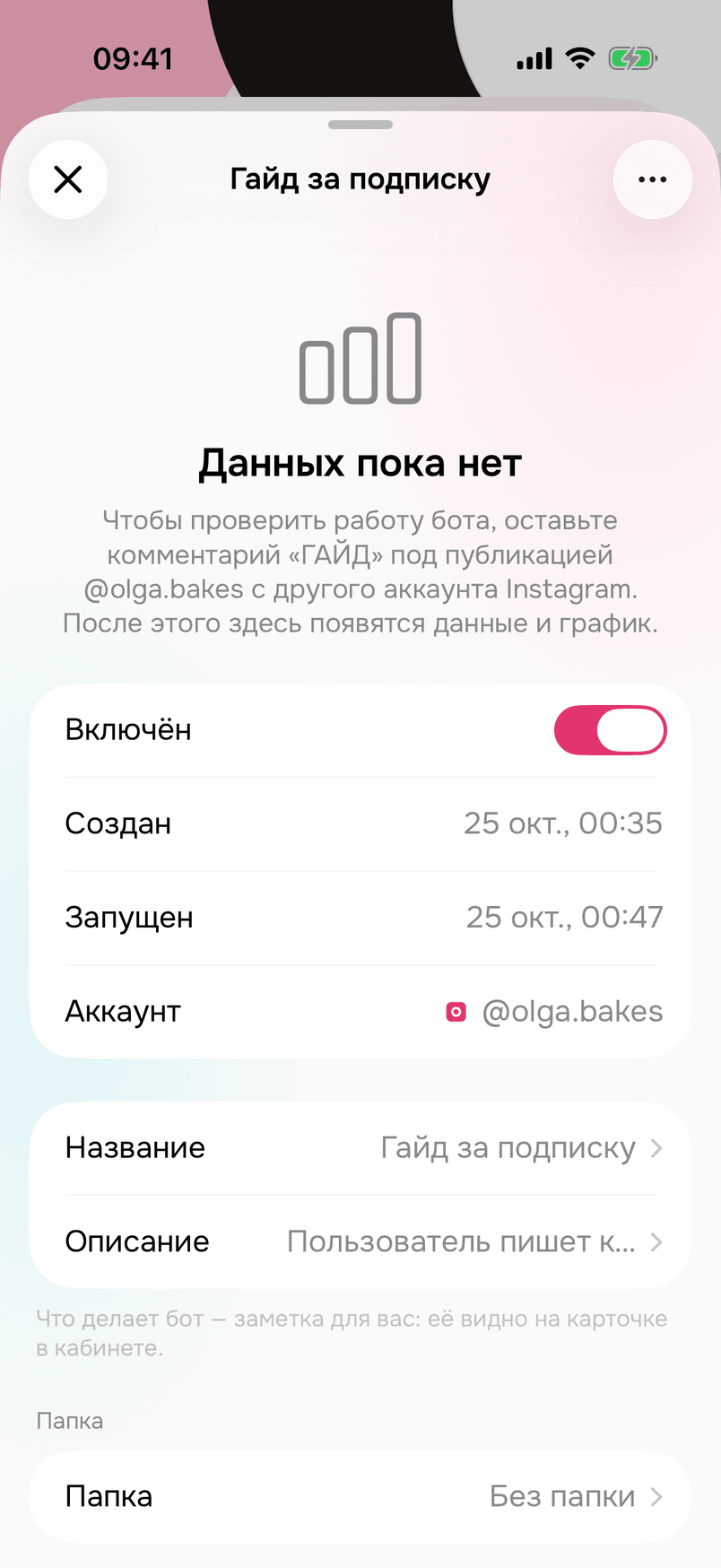
Open it: the bot is on and already replies to comments.
3. Publish a post
In the caption and in the video itself write the call: “Comment GUIDE and I’ll send you the guide “10 fillings for bento cakes””.
Make posts that motivate people to comment GUIDE under them.
4. Check that it works
Once everything is set up, be sure to go through the whole follower path from someone else’s Instagram account: comment GUIDE under your post, wait for the DM, follow the account, tap “I followed” and make sure the guide arrives.
What next
If you sell, set up the second scheme: How to get sales from Instagram.